
Web applications are dynamic, living systems. When updates occur, database schemas change, or outdated plugins run, errors are bound to happen. Encountering a dreaded "500 Internal Server Error" or a blank white screen of death on a production website can cause instant panic. Fortunately, cPanel provides powerful diagnostic utilities that allow developers to pinpoint and resolve PHP and server errors in minutes.
Managing PHP Versions and Extensions via MultiPHP
Different web applications require specific PHP runtime versions. Legacy scripts may demand PHP 7.4, while modern, high-performance applications built on clean frameworks require PHP 8.2 or higher. cPanel's MultiPHP Manager allows administrators to switch PHP versions per domain instantly.
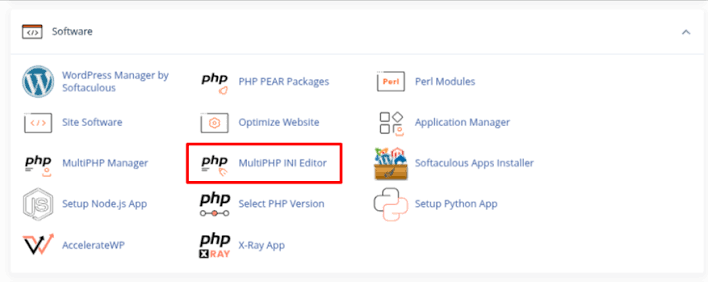
Additionally, the MultiPHP INI Editor lets you adjust critical runtime parameters—such as `upload_max_filesize`, `post_max_size`, `max_execution_time`, and `memory_limit`—preventing timeout errors when uploading large media files or database dumps.
; Sample php.ini performance directives
memory_limit = 256M
post_max_size = 64M
upload_max_filesize = 64M
max_execution_time = 300
Diagnosing Errors via cPanel Error Logs
When an application fails, guessing at the cause wastes precious time. cPanel's Error Log utility displays the last 300 server error events for your domain, capturing exact file paths, line numbers, and fatal PHP exceptions.
Reviewing these logs immediately reveals whether an error stems from a syntax typo, a missing database table column, or a failed function call in an include file.
Enabling Staging Error Reporting Safely
During development or troubleshooting, enabling temporary error reporting in your application's entry script helps isolate bugs. However, remember to disable raw error display in production environments to protect sensitive server paths from public exposure.
Conclusion
Troubleshooting server errors is an essential developer competency. By leveraging cPanel's MultiPHP manager and error logging dashboards, administrators can diagnose and resolve runtime bottlenecks swiftly, ensuring maximum uptime and flawless application performance.